
Download WhenX – AI‑Powered Web Monitoring & Semantic Alerts
Overview
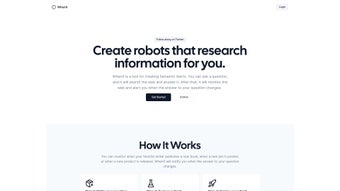
WhenX is a lightweight web‑monitoring platform that lets you create Semantic Alerts for any question you can imagine. Whether you’re waiting for a new book release, tracking price drops on e‑commerce sites, or following regulatory updates, WhenX continuously scans the internet for changes that affect the answer to your query. The moment a relevant shift is detected, the service pushes a notification via email, SMS, or Discord, ensuring you stay informed without manual checking.
Built on open‑source principles, the entire codebase lives on GitHub, inviting developers to contribute, audit security, or even self‑host the application. The user interface is intentionally simple: you type a question, test the alert to confirm it captures the correct answer, and then activate it. From that point on, WhenX runs in the background, leveraging an AI text summarizer to compare new content against the original answer and trigger alerts only when a substantive change occurs. This approach minimizes false positives and saves bandwidth.
The platform targets personal users, freelancers, and small teams who need a reliable, cost‑effective way to stay on top of dynamic web information. Because it is free to download and use, WhenX competes directly with paid monitoring services, offering a secure, privacy‑first alternative that does not require a subscription. Its modular architecture also allows integration with third‑party tools via webhooks, making it a flexible choice for tech‑savvy users who wish to embed alerts into existing workflows.
Core Features
- Semantic Alert Engine – Understands the meaning behind your question and tracks answer changes rather than simple keyword matches.
- Multi‑Channel Notifications – Choose email, SMS, or Discord for real‑time alerts.
- AI‑Powered Summarizer – Filters out noise by summarizing new content and comparing it to the previous answer.
- Open‑Source Transparency – Full source code on GitHub, allowing audits, custom builds, and community contributions.
- Webhooks & API Access – Seamlessly connect alerts to Zapier, Slack, or custom scripts.
- User‑Friendly Test Mode – Validate an alert before activation to ensure accuracy.
- Cross‑Platform Compatibility – Runs on Windows, macOS, Linux, and can be deployed on cloud services.
- Lightweight Architecture – Minimal system resources, perfect for low‑end machines or Raspberry Pi deployments.
- Secure Data Handling – No personal data is stored on third‑party servers; all alerts are processed locally or on your own hosting.
Installation, Usage & Compatibility
Step‑by‑Step Installation
Installing WhenX is straightforward, regardless of your operating system. Begin by visiting the official GitHub releases page and download the appropriate package for your platform (Windows .exe, macOS .dmg, or Linux .tar.gz). After extraction, run the installer; the wizard guides you through setting up a local database and configuring your first alert. For advanced users, a Docker image is available, allowing a one‑line deployment:
docker run -d -p 8080:8080 whenx/whenx:latest
Once the service is up, open your browser and navigate to http://localhost:8080. The web UI greets you with a clean dashboard where you can click “Create New Alert.” Type your question (e.g., “When will the next edition of ‘The Great Gatsby’ be released?”), select the websites you want to monitor, and hit “Test.” The test mode fetches the current answer and displays a confidence score, letting you refine the query if needed.
Running the Application
After you activate an alert, WhenX spawns a background worker that polls the target URLs at configurable intervals (default every 30 minutes). The AI summarizer parses the fetched pages, extracts the answer snippet, and compares it to the stored version. If the similarity drops below a predefined threshold, a change event is generated. You can customize notification preferences per alert, choosing one or multiple channels. For SMS alerts, you’ll need to link a Twilio account; for Discord, simply paste a webhook URL.
Operating System Support
WhenX is built with Node.js and Electron, which ensures native support for Windows 10/11, macOS Catalina and later, and major Linux distributions such as Ubuntu, Fedora, and Debian. The Docker image abstracts away OS dependencies, making it ideal for cloud‑based deployments on AWS, Azure, or Google Cloud. Mobile users can also access the web interface via any modern browser on Android or iOS, although push notifications are limited to email or Discord in those environments.
Pros, Cons & Frequently Asked Questions
Pros
- Free and open‑source – no hidden fees or subscription traps.
- Semantic alerting reduces false positives compared to keyword‑only monitors.
- Multiple notification channels cover personal and team workflows.
- Lightweight and runs on modest hardware or any Docker‑compatible host.
- Transparent codebase encourages trust and community-driven improvements.
Cons
- Initial setup may be intimidating for non‑technical users without a pre‑built installer.
- Real‑time monitoring is limited by polling intervals; truly instant alerts are not guaranteed.
- SMS notifications require a third‑party service (e.g., Twilio) which may incur costs.
- No native mobile app – users must rely on the web UI and email/Discord for alerts.
- Advanced AI summarization can be CPU‑intensive on older machines.
FAQ
Is WhenX really free to use?
Yes. WhenX is released under the MIT license, which allows you to download, use, and modify the software at no cost. Optional services like SMS via Twilio may have their own fees, but the core application remains free.
Can I host WhenX on my own server?
Absolutely. The Docker image and source code are designed for self‑hosting. You can run it on a VPS, a home server, or even a Raspberry Pi, giving you full control over data privacy.
How does the AI summarizer avoid false alerts?
The summarizer extracts the core answer from each page and calculates a similarity score against the previous version. Only when the score falls below a configurable threshold does WhenX trigger an alert, filtering out minor layout changes or ads.
What notification channels are supported?
WhenX supports email (SMTP), SMS (via Twilio API), and Discord (webhook). You can enable one, two, or all three for each alert, tailoring the delivery method to your workflow.
Is there a limit to the number of alerts I can create?
The open‑source version imposes no hard limit. Practical limits depend on your hardware and polling frequency; a modest server can comfortably handle dozens of alerts simultaneously.
Conclusion & Call to Action
WhenX fills a niche that many larger monitoring tools overlook: the ability to watch for genuine changes in the *answer* to a question rather than just keyword spikes. Its open‑source nature, multi‑channel notifications, and AI‑enhanced summarization make it a compelling choice for anyone who wants to stay ahead of dynamic web content without paying for a premium service. While the initial setup may require a brief learning curve, the long‑term payoff in time saved and peace of mind is considerable.
Ready to automate your web‑watching workflow? Download WhenX now, spin up a Docker container, or clone the repository to start building your own semantic alerts today. Stay informed, stay efficient, and let WhenX handle the heavy lifting of web monitoring for you.
WhenX delivers a surprisingly robust monitoring experience for a free, open‑source tool. Its semantic approach reduces noise, and the variety of notification options make it adaptable to both personal and small‑team use cases. Minor drawbacks around setup complexity and lack of a native mobile app are outweighed by its flexibility and zero‑cost model.


.png)



